Lab · Tool
Pebble
A shape tool I built for one job: a soft blob of color behind every icon in a set, all related, none identical.
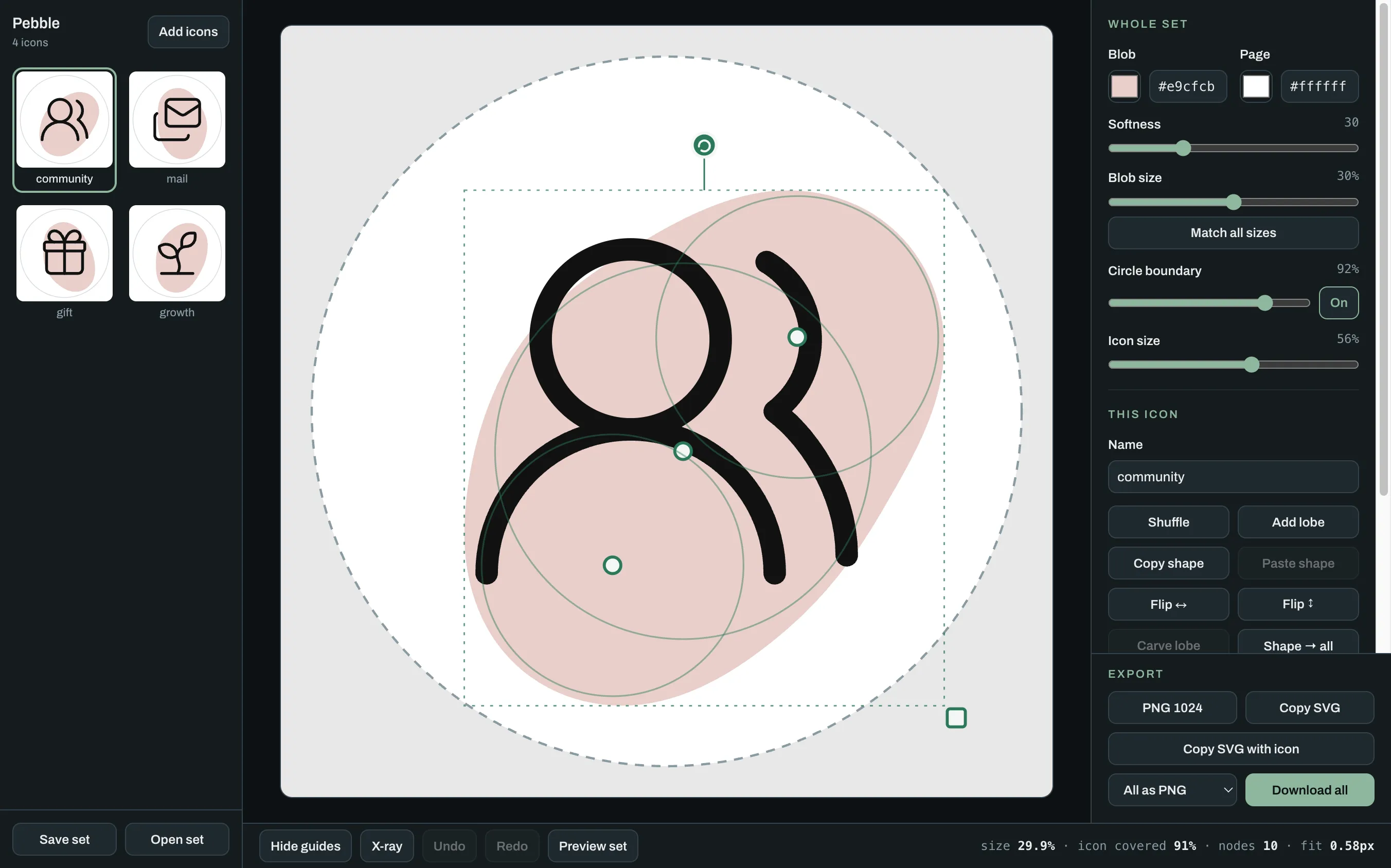
Pebble is a desktop tool. Open this page on a larger screen to use it here.
Try it: drag the blob, pull a lobe's dot, or hit Shuffle.
Open full screenWhat it's for
I needed a set of icons for a page at work, each one sitting on a soft blob of color. The blobs had to look like one family without being copies, and every icon had to break out of its blob a little.
Illustrator and Figma fought me on four things.
- Curves came out lumpy. Bezier handles leave flat spots and small kinks, and nothing keeps a curve soft all the way around.
- The set never looked related. Each blob was fine alone. In a row, the sizes and the softness drifted.
- Every change was slow. Trying one idea meant a dozen handle tweaks, so I tried fewer ideas.
- The shapes ignored the icon. Random blob generators can't put a bulge where the icon needs one.
So I stopped drawing curves and built a tool where a bad curve can't happen.
How to use it
-
Add your icons
Click Add icons, or drop SVG files anywhere on the page. Each icon gets a starting blob.
-
Rough it in
Hit Shuffle until a blob looks close.
-
Shape it by hand
Drag the blob to move it. Drag a lobe's dot to reshape it, or its ring to resize it. The round handle rotates and the square one scales.
-
Make it a family
Set the color once for the whole set. Match all sizes gives every blob the same weight. Shape to all copies a blob you like across the set, turned a different way for each icon.
-
Export
Download all gives you a zip of transparent PNGs or SVGs. Save set keeps your work as one file you can reopen on any computer.
What it can do
- One style for the whole set
- Color, softness, and size are set once, so the family is related by construction.
- Matched weight
- One click gives every blob the same area, which is what the eye reads as the same size.
- One shape, many icons
- A blob you like can go across the whole set, rotated and flipped for each icon.
- A hard boundary
- When the export has to fit a circular slot, the tool dims what falls outside and fixes it in one click.
- Clean vectors
- Each blob exports as a single path with about ten nodes, so it stays easy to edit.
- Private by design
- Everything runs in your browser. Icons are never uploaded.
How it works
-
Circles, not curves
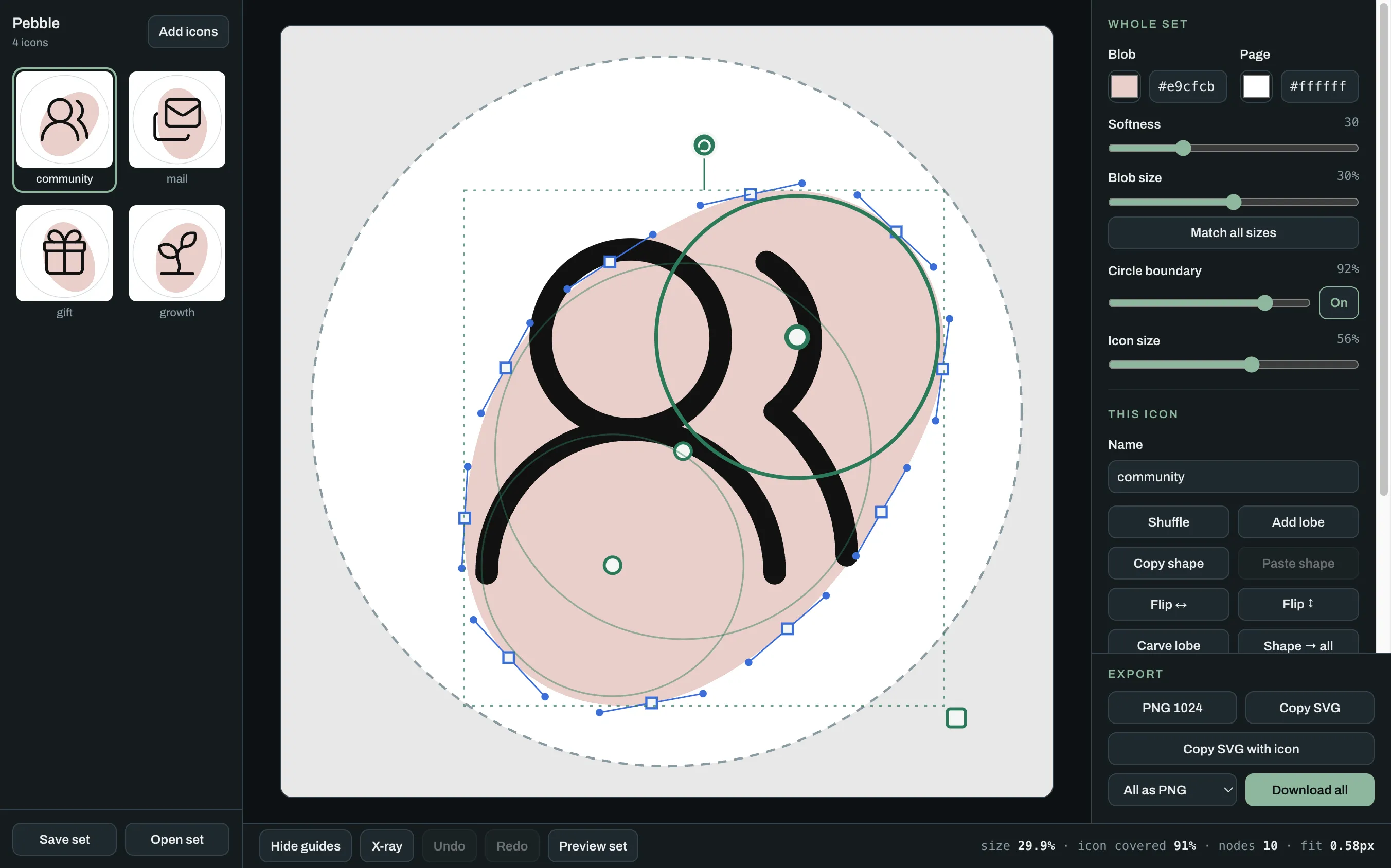
You never draw a curve. You place three to five circles, called lobes. Under the hood each lobe is a distance field: for any point, how far it sits from that circle's edge.
-
They melt together
Where lobes overlap they blend instead of meeting at a corner, and one softness setting controls how much. The blend is a log-sum-exp smooth union. It has no corners in it, so a kink can't happen.
-
Find the edge
The tool walks the canvas to find where the blended shape ends. That is marching squares, followed by two Newton steps that pull every point onto the exact edge.
-
Make it editable
Hundreds of edge points become one simple path. A least-squares fit places a few nodes and sets each handle from the true direction of the curve. This shape needed 14 nodes. Simple ones need about eight.
Need a tool like this for your team?
Email me